
Mileage
Log the miles, claim them back.
Log a business trip in seconds and Mileage keeps a running total of what you can claim. Enter the journey and the reason, read the odometer at each end, and it works out the distance and the cost at your own rate. No sign-up, no setup screens, nothing to learn.
Get it on the App StoreMileage: Business Trip Tracker · iPhone & iPad, iOS 18 or later
In the app
A closer look
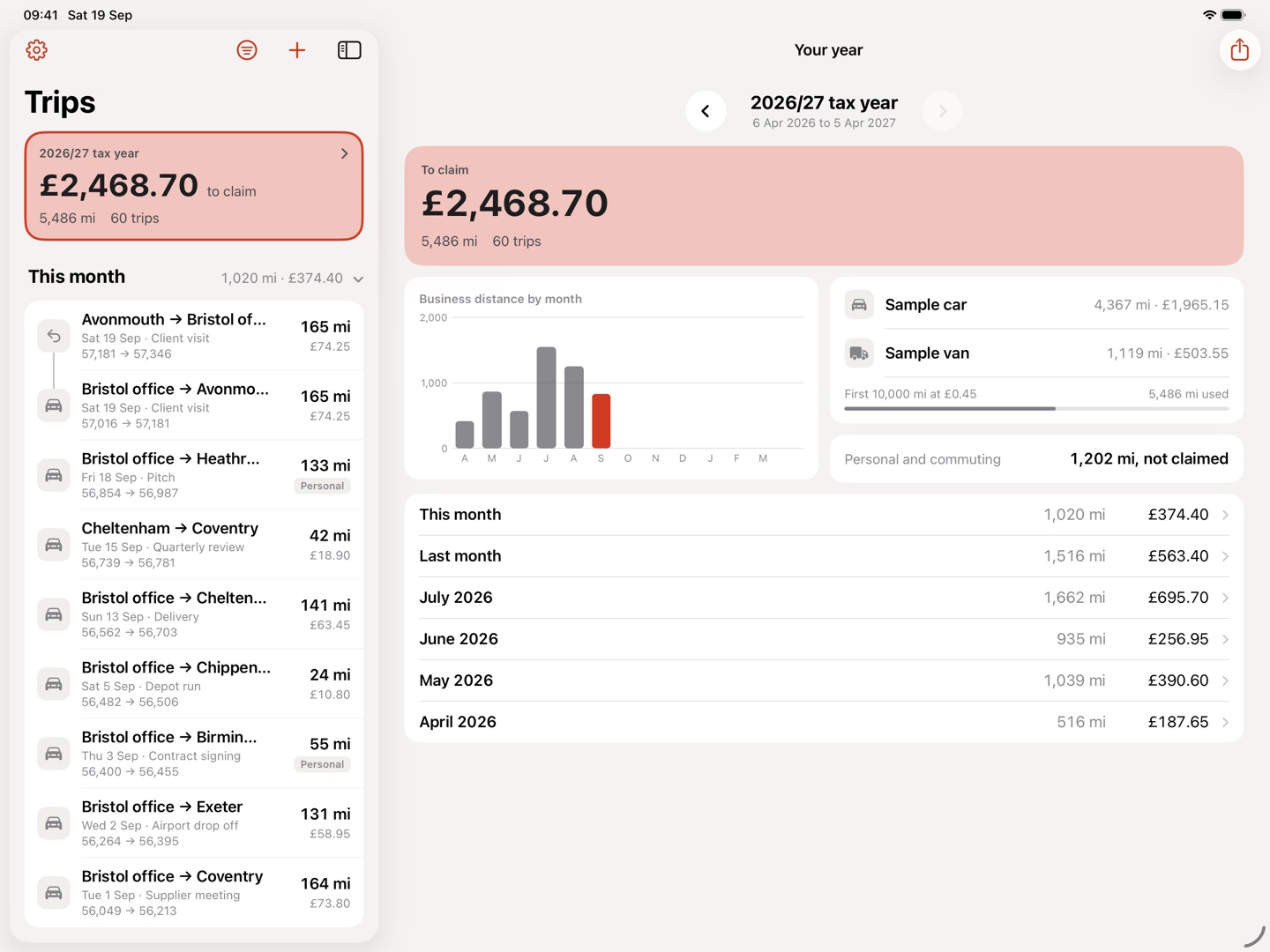
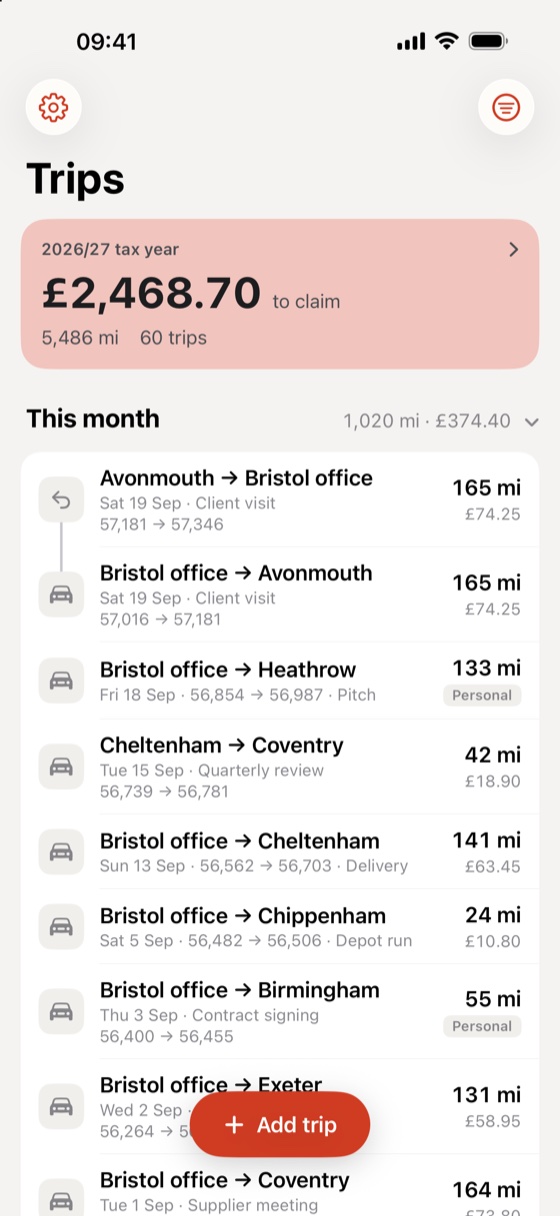
Your claim, adding up as you drive
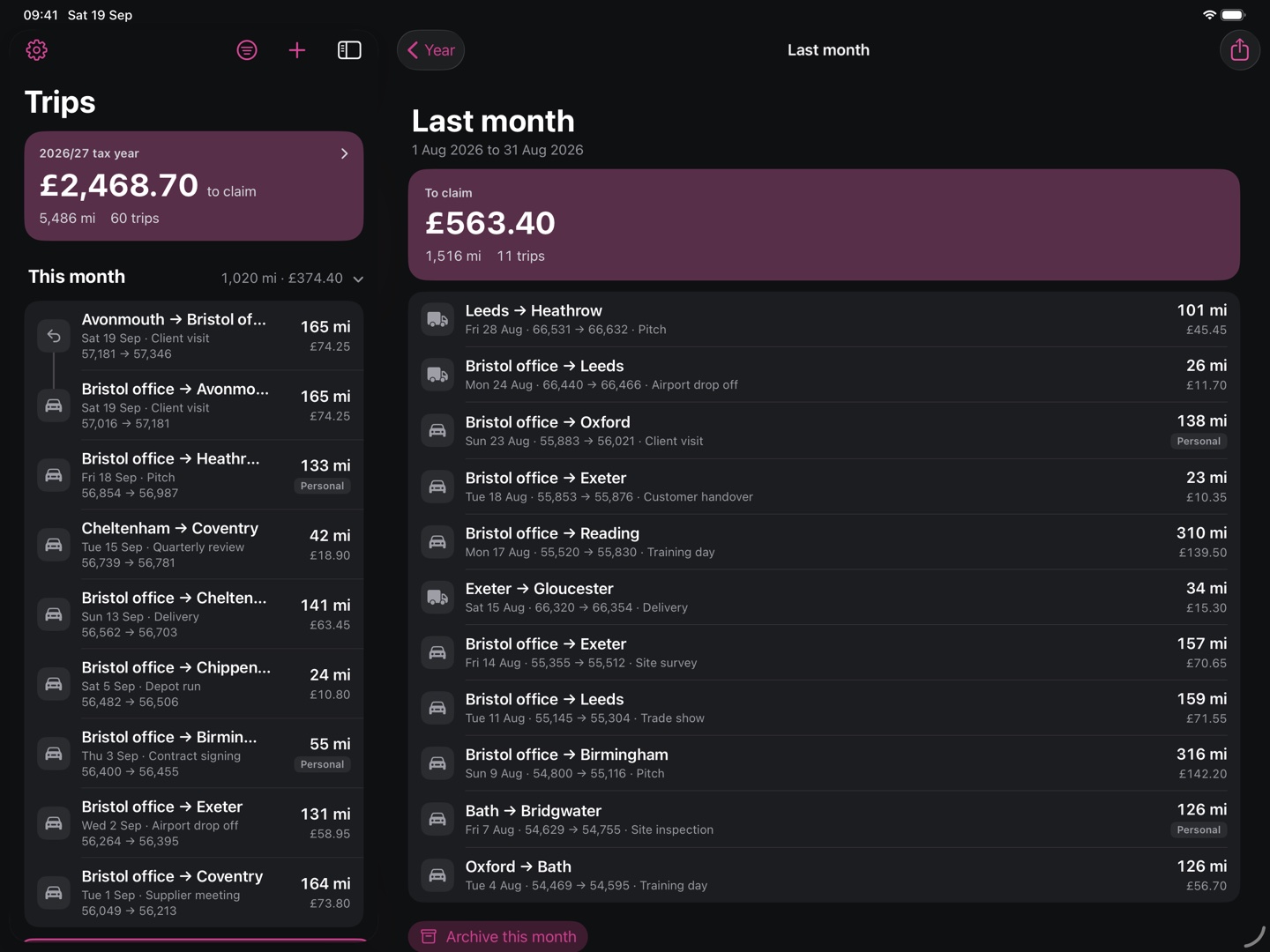
Every trip carries its distance and its cost at the rate you set. The total for the tax year sits across the top of the list, so the amount you can claim back is never more than a glance away.
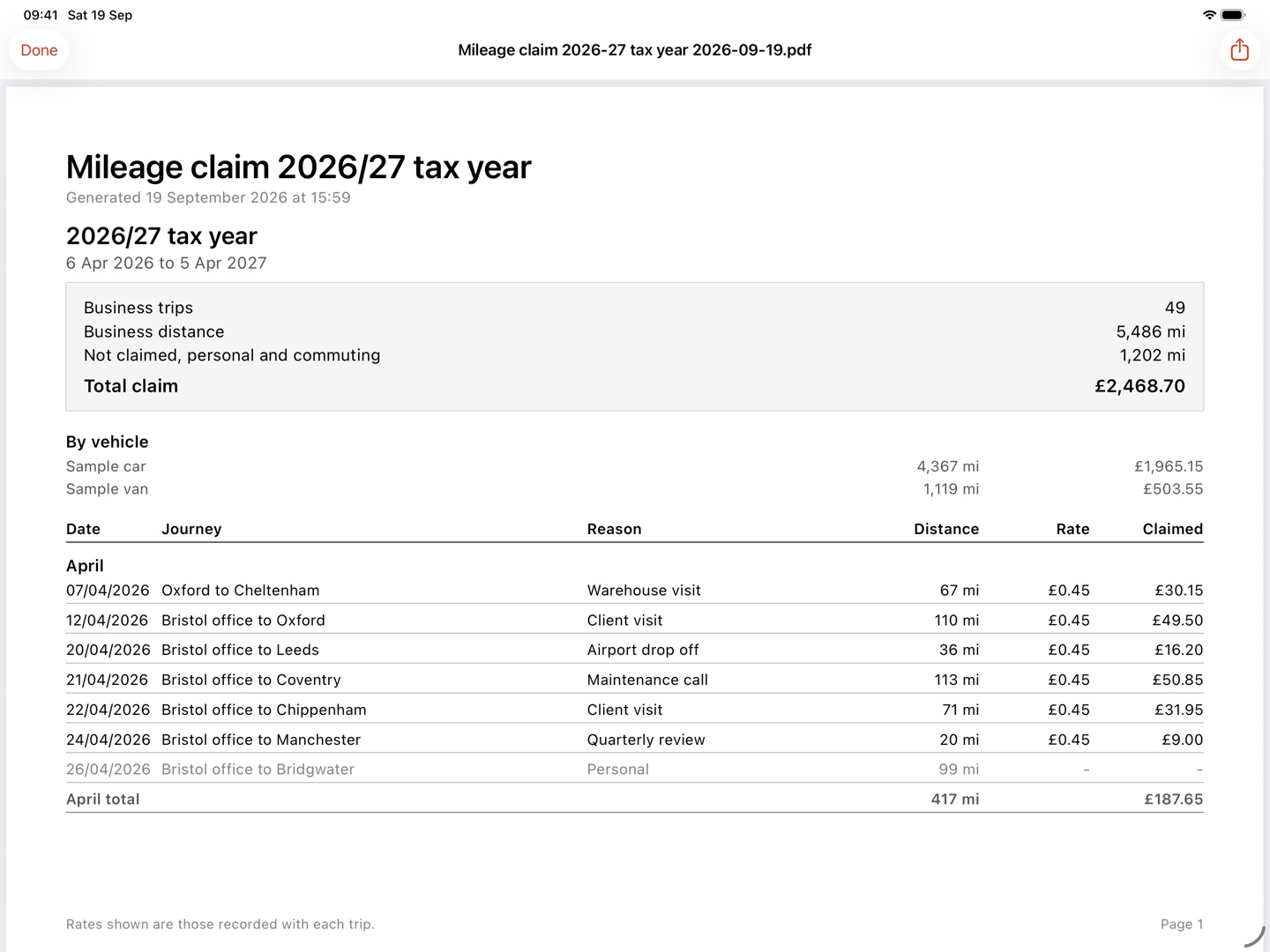
A claim report ready to hand over
Export the year as a Claim report (PDF): every journey with its date, reason, distance and rate, totalled by month and by vehicle. Send it straight to an accountant or an employer. The raw trips come out as a Spreadsheet (CSV) as well.
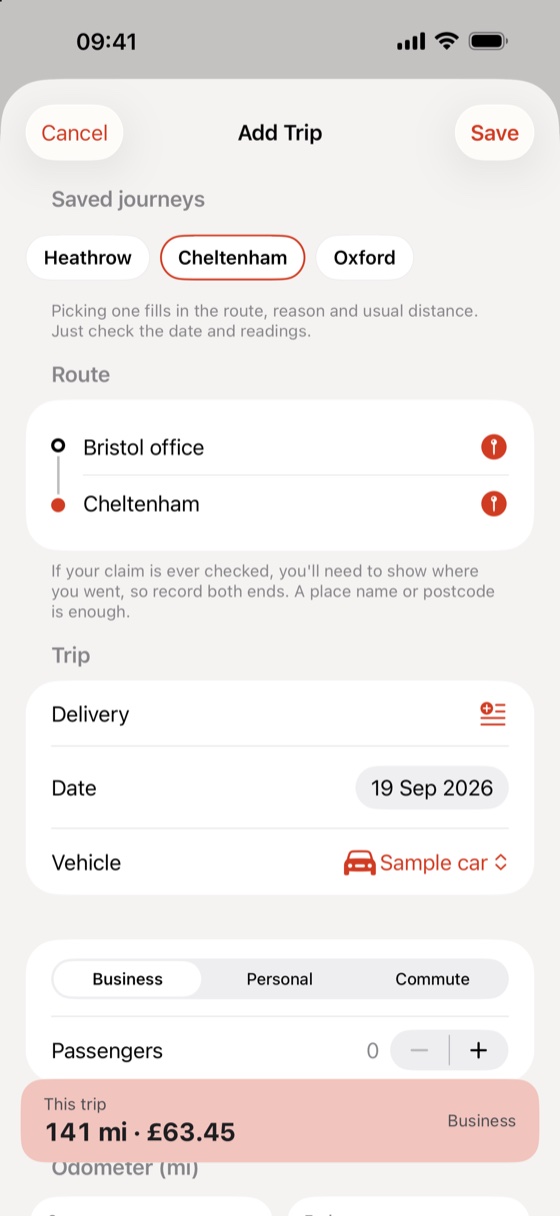
A trip logged in seconds
Read the odometer at the start and the end and it works out the distance. Add the journey and the reason, and save. Mark a trip personal or commuting and it stays out of the claim while the record stays in your log.
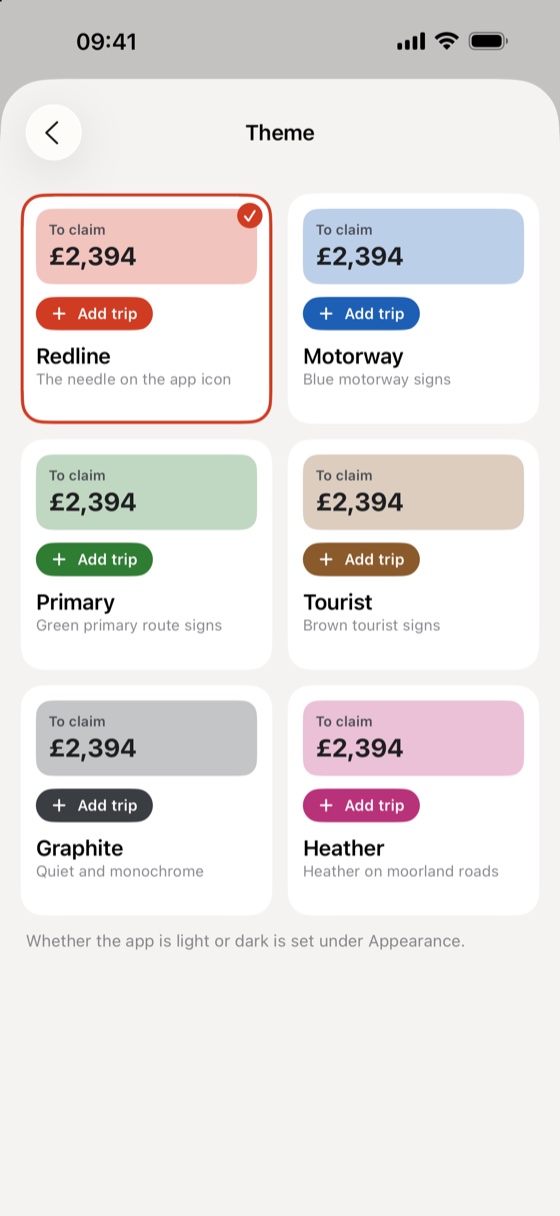
Six themes, light or dark
Pick an accent named after a road sign, from the redline needle to motorway blue, and set the app light or dark to follow your phone. A Home Screen widget keeps the running total in view without opening the app.
What’s inside
Built for the glovebox, not the office
Miles or kilometres
Log in whichever unit you drive in, with the rate per mile and the currency you set.
Your rate, your claim
Set the rate for each vehicle and every trip is costed from it. The report shows the rate recorded against each journey.
Follows your tax year
Totals run to the tax year you set, so the figure at the top is the one you will actually claim.
Personal trips left out
Mark a journey personal or commuting and it counts towards nothing, while the mileage stays on your record.
More than one vehicle
Give a car and a van their own odometer and their own rate, split out on the report. Part of Premium.
Claim report and spreadsheet
A Claim report (PDF) to hand over, or a Spreadsheet (CSV) of the raw trips to open on a computer.
Across your devices
With iCloud sync a trip logged on your phone is on your iPad too, under your own Apple Account. Part of Premium.
Brought over from before
Upgrading from the old Business Trip Tracker? Your existing log imports on its own the first time you open it.
No account, no tracking
Nothing to sign up for. No ads, no analytics, and nothing collected about you or where you drive.
Cost
Free to log every trip
Free
No card, no account
- Every trip you log, with distance and cost
- The running claim total for your tax year
- One vehicle and one rate
- Spreadsheet (CSV) export of your trips
- Six themes, light or dark, and the widget
Premium
Monthly, yearly or once
- iCloud sync across your iPhone and iPad
- More than one vehicle, each with its own rate
- The Claim report (PDF)
- Included in Family Sharing
Premium is a monthly or yearly subscription, or a one-off lifetime purchase. Prices are handled by Apple and shown in your own currency before you buy. The full detail is in the terms.