Spellings
The week’s list, practised until it sticks.
Type in the spelling list that came home from school. Your child hears each word read aloud in their own accent, in a sentence if they need one, and types it into the letter boxes. Practise as often as they like, then take the test. You see which words are still wobbly and which are done.
Get it on the App StoreCreateful Kids: Spellings · iPhone & iPad, iOS 18.6 or later
How it goes
Friday’s list, ready by Thursday
You add the list
Type this week’s words and the date of the test. Up to fifty words of up to fourteen letters each, saved against that child.
They practise
Each word is read aloud, repeated on request, and can be heard in a sentence. Letters spring into the boxes as they type.
Wrong words come back
Learn the tricky ones runs just the words they missed. Then Learn again covers the whole list, so nothing quietly drops off.
Then the test
No hints, no second go. A score at the end, a fanfare for a clean sheet, and a record you can look back through.
In the app
A closer look
Hear the word, then type it
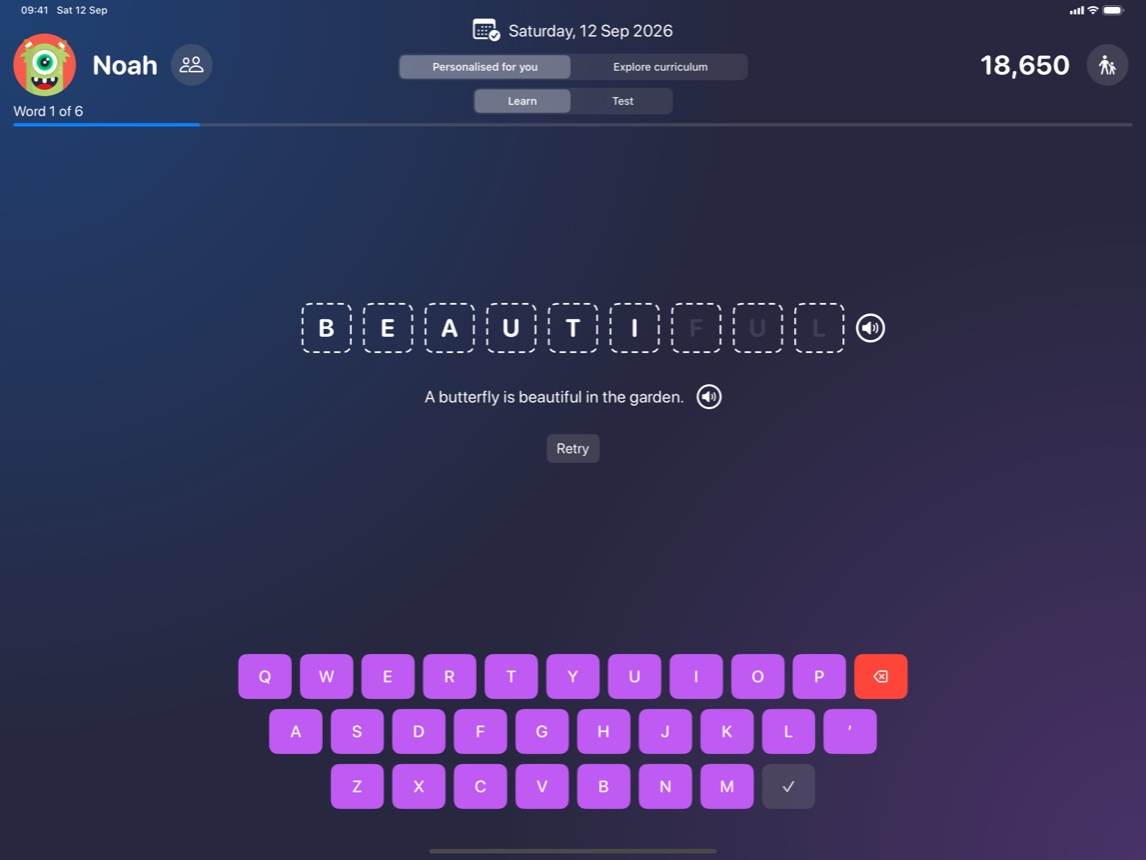
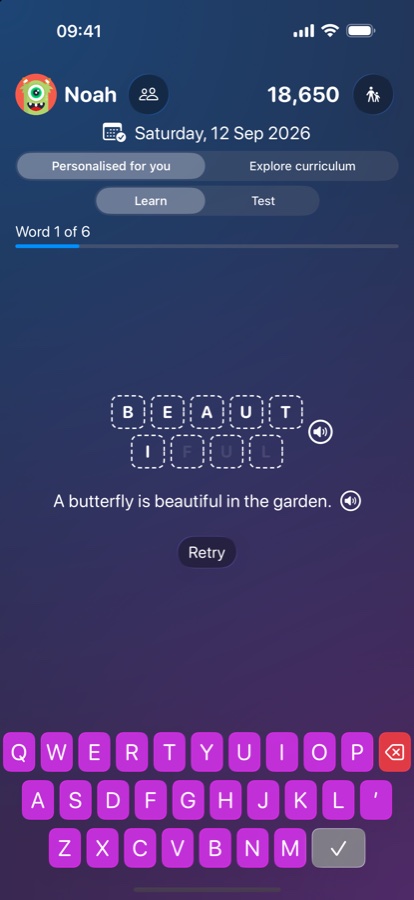
Each word is read aloud in your child’s own accent, in a sentence if they need one. Letters spring into the boxes as they type, and the words they miss come back around before the test.
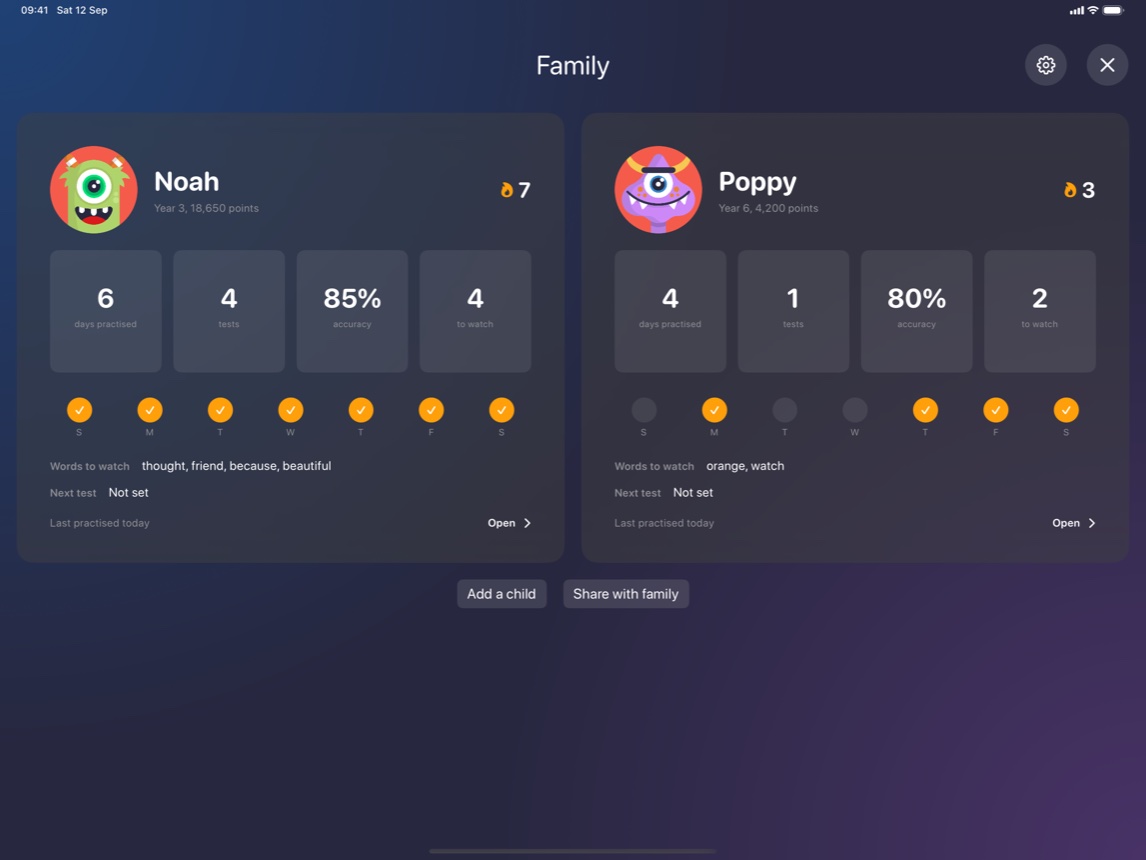
Every child’s week on one screen
The family view puts each child side by side: who has practised, who is on a streak, and whose test is next. Up to eight children on Premium, each with their own words and their own progress.
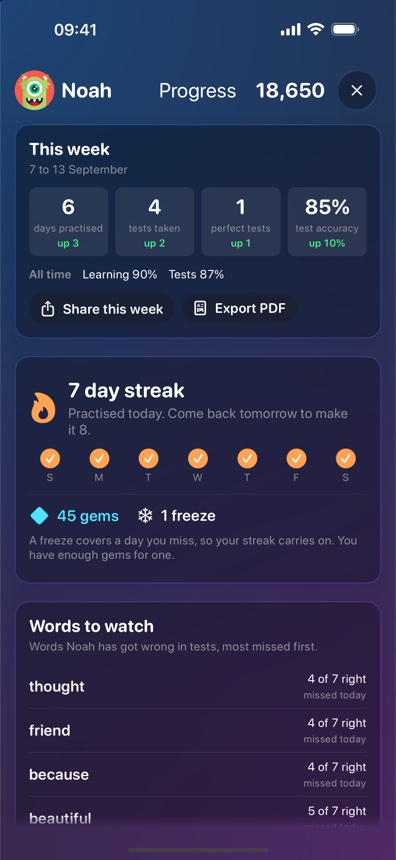
Progress you can read
This week against last, the streak they are keeping, and the words still worth another look. Export any of it as a PDF when a teacher or a tutor wants to see how it is going.
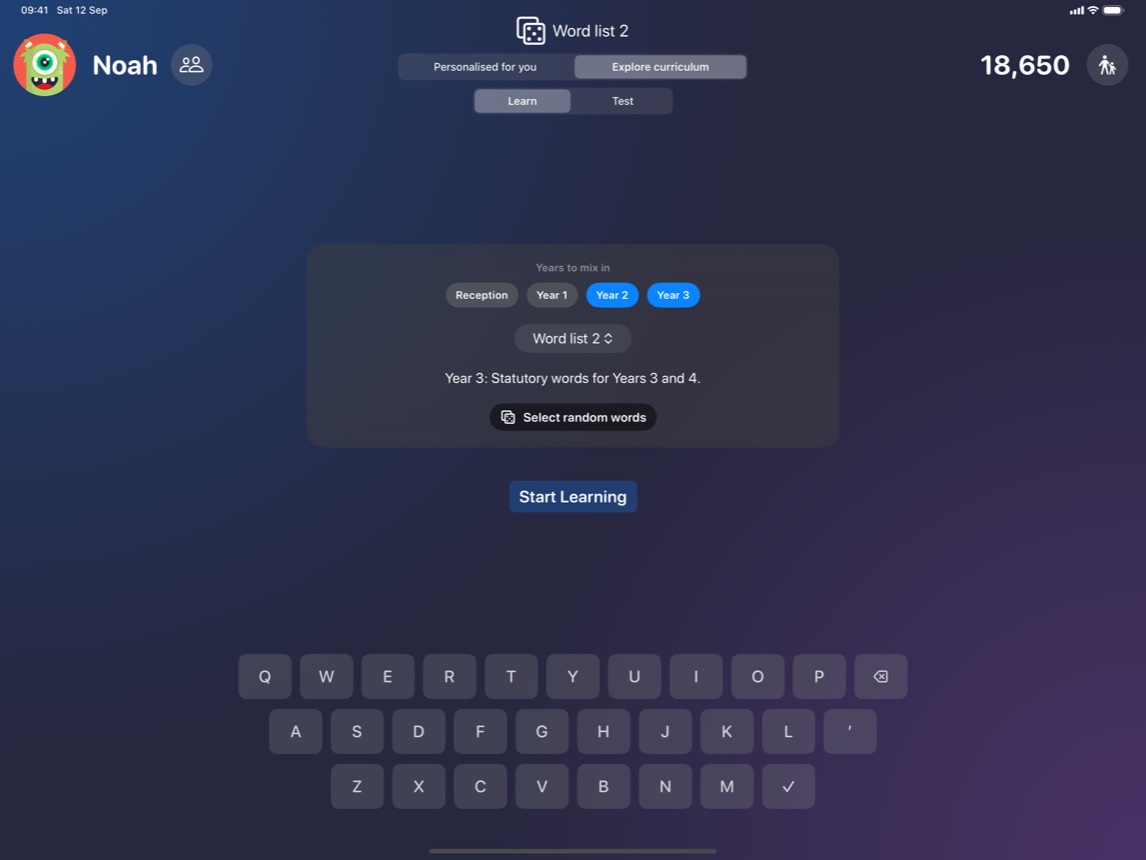
Beyond the weekly list
Explore opens the whole curriculum: word lists by year group and the spelling rule they share, for the weeks when nothing came home and for getting ahead. Around 1,300 words in each of the six curricula.
Words
Six curricula, read in the right accent
Pick the curriculum your child is taught from and the app follows it: the year groups are named the way their school names them, and words are read in that country’s accent. An American curriculum gives an American voice, and the letter z is read as “zee” rather than “zed”. Each one carries around 1,300 words across seven year groups, grouped by the spelling rule they share, with an example sentence on almost every word.
- United Kingdom · Reception to Year 6
- Ireland · Infants to 6th Class
- United States · Kindergarten to Grade 6
- Canada · Kindergarten to Grade 6
- Australia · Foundation to Year 6
- New Zealand · New Entrants to Year 6
The homework list always wins. The curriculum is there for the weeks when nothing came home, and for practice beyond the list.
What’s inside
Built for a school night
Read aloud
Every word is spoken by the device, with a choice of voices if the default one gets a word wrong. Nothing is recorded.
Gems and avatars
Correct words earn gems. Gems buy avatars from the Robots and Space sets, and colours for the keyboard. The Monsters, Kids, Animals and Nature sets are free from the start.
Streaks and badges
A run of practice days to keep going, levels to climb, and badges for the milestones along the way.
A parent PIN
Settings, word lists and anything costing money sit behind a PIN you set. It stays on your device and never syncs.
Progress you can read
Per word, per test and over time. Export it as a PDF if a teacher or a tutor wants to see it.
Reminders, if you want them
A nudge on days without practice, one the night before a test, and a Sunday summary. All three start off.
Across your devices
Your family’s data syncs through your own iCloud account, so the iPad and the phone stay in step. Share it with another parent and they see the same thing.
No ads, no tracking
Nothing is collected about how the app is used. There is no analytics, no advertising and no third party of any kind.
Cost
Free for one child
Free
No card, no account
- One child at a time
- Every spelling list you add, with practice and tests
- Words from their own school year
- Gems, avatars, streaks and badges
- Progress and PDF export
Premium
Monthly, yearly or once
- Up to eight children
- Explore, for practice beyond the week’s list
- Earlier school years mixed in, for catching up
- Shared with the other parent when you share the family
- Included in Family Sharing
Prices are shown in the app in your own currency before you buy anything. Lifetime Premium is a single payment with nothing to renew. Subscriptions are handled by Apple and cancelled in your Apple account, not here. The full detail is in the terms.